Verify a peer
Check whether a DICOM peer responds using the AE title, host, and port in your destination profile.


Verify connections, test DICOM services, and inspect each exchange in one open-source desktop toolkit.
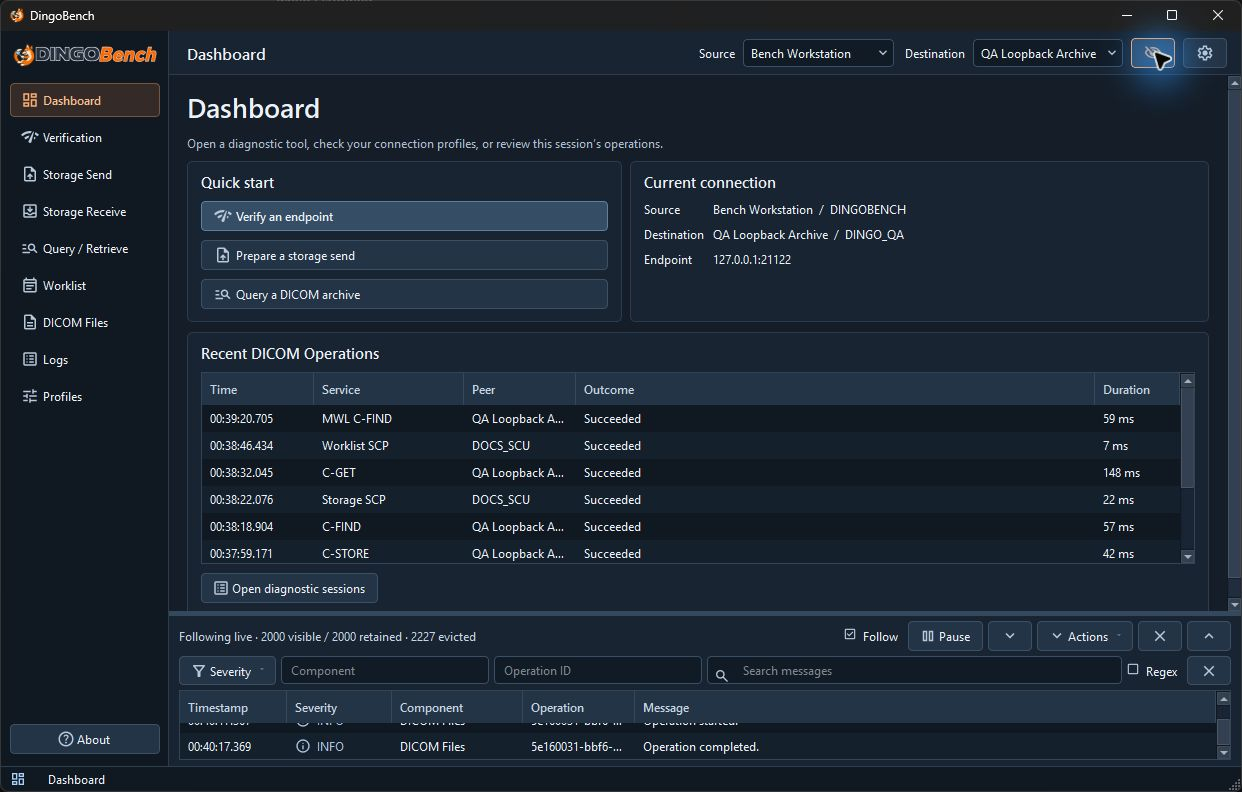
Test each service independently and follow the exchange when a result needs a closer look.
Check whether a DICOM peer responds using the AE title, host, and port in your destination profile.
Validate and send DICOM files, check the result for each object, or start a temporary listener for incoming transfers.
Search Study Root records and retrieve a study or series using C-MOVE or C-GET.
Query scheduled procedure steps or serve existing worklist records to a test modality.
Open local files to examine metadata, DICOM tags, and nested sequences.
Inspect association negotiation, transfer syntaxes, DIMSE requests and responses, and related logs.
Get the Windows or Linux release, or try the experimental Apple Silicon build.
Apple Silicon build for manual testing. Apple notarization and functional testing are pending. See the release notes for known DICOM networking issues.
Select a screenshot to see the results, protocol details, and logs at full size.
Extract the entire ZIP to a local folder. Run DingoBench.exe from that folder and keep the DLLs and resources alongside it.
Configure the remote peer’s Called AE title, hostname or IP address, and port. Then select the Calling AE title expected by that peer and run C-ECHO.
The code is available under GPL-3.0-only. The name, logos, and mascot have separate branding terms.
DingoBench carries forward the DICOM troubleshooting workflows of TIANI JDicom in a Qt desktop app built with DCMTK.